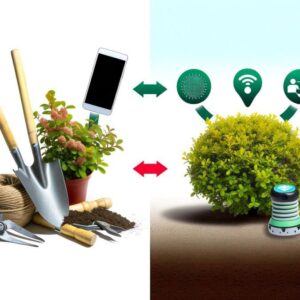

A phone camera can place a possible plant name on the screen within seconds. That result is the beginning of an investigation, not the end of one.
The application may recognize leaf shape, color, flowers, bark, insect features, or a familiar damage pattern. It cannot automatically know how the plant was watered, whether its roots are healthy, what happened before the photograph was taken, or whether the suggested organism is common in that location.
Used carefully, mobile applications can shorten the search for an answer, organize observations, document changes, and connect gardeners with useful resources. Used carelessly, they can turn one uncertain photograph into the wrong treatment.
Separate the Questions Before Opening an App
Plant identification and pest control are often combined in one application interface, but they involve different questions and different levels of evidence.
This requires comparing leaves, stems, flowers, fruit, growth habit, location, and season. A damaged leaf alone may not contain enough features for a reliable species-level identification.
Yellowing, holes, curling, spots, wilting, and poor growth can result from insects, disease, irrigation, roots, temperature, light, nutrients, physical injury, or several causes acting together.
A correctly identified insect may be harmless, beneficial, temporary, or present in too few numbers to justify treatment. Management begins only after the organism, damage, activity, and risk are understood.
Identification
Narrows the name of a plant, insect, weed, disease symptom, or other organism by comparing visible characteristics and contextual information.
Diagnosis
Determines the most likely cause of a plant problem by considering the entire plant, growing environment, symptom pattern, history, and sometimes laboratory evidence.
Management
Chooses whether action is necessary and selects a method appropriate for the confirmed problem, host plant, location, season, and level of damage.
An application may contribute to all of these tasks, but it rarely completes all of them reliably from one image.
Build a Photo Dossier Instead of Taking One Close-Up
A clear photograph of one leaf can be useful, but plant identification specialists normally need more than one feature. Diagnostic services also ask for an overall view, symptom close-ups, plant history, and images of relevant stems, roots, or surrounding conditions.
Photographs That Give the App and the Reviewer More Evidence
Show its size, shape, branching pattern, position, neighboring plants, container, bed, or landscape setting.
Photograph both so differences in color, size, shape, and development can be compared.
Insects, eggs, webbing, spores, residue, and distinctive vein patterns may be visible on only one side.
Leaf arrangement, hairs, thorns, nodes, wounds, discoloration, and stem shape can help separate similar plants.
Reproductive structures frequently provide stronger identification features than leaves alone.
Include the transition between healthy and damaged tissue rather than photographing only a completely dead area.
Capture insects, eggs, cast skins, frass, honeydew, webbing, tunnels, scales, or fungal growth separately.
When safe and practical, document the stem base, drainage, root condition, mulch depth, soil surface, or hydroponic reservoir.
Clean the camera lens, use steady natural light, avoid strong glare, and keep the subject in focus. Do not apply image filters or increase color saturation before uploading a diagnostic photograph.
The Information Outside the Photograph Matters
Location and season help rule out unlikely matches. A plant suggested by an application may look similar in a photograph but be poorly matched to the climate, habitat, flowering period, or known distribution.
Read App Results as Candidates, Not Verdicts
Most image-recognition applications return one likely match or a group of possibilities. The first result may reflect visual similarity rather than confirmed identity.
Closely related species may appear below the first result. Compare several plausible options rather than accepting the largest confidence value.
An app may narrow the plant to the correct group while remaining uncertain about the exact species. That distinction matters for invasive status, toxicity, care, and control.
Use leaf arrangement, flower structure, stem characteristics, fruit, bark, growth habit, and other features described by a reliable reference.
Confirm that the species or pest is known in the region and that the plant habitat matches the suggested result.
Compare an extension publication, field guide, botanical database, diagnostic key, expert community, or local specialist.
Record a result as “possible” or “probable” until the features needed for confirmation have been observed.
Why Results Can Change Between Photographs
Leaves can vary within one plant according to age, sun exposure, damage, water stress, and position in the canopy. Seedlings, grasses, non-flowering plants, heavily damaged specimens, and closely related species can be especially difficult to identify from images.
A second result is not necessarily evidence that the application is malfunctioning. It may indicate that the photographs do not contain enough distinctive information.
A Symptom Is Not the Same as Its Cause
Computer vision can recognize a repeated visual pattern without knowing which biological or environmental process created it. Many plant problems share similar appearances.
Photographs are especially limited when the important evidence is underground, inside a stem, microscopic, or distributed through the plant. Laboratory testing may be needed to distinguish pathogens that create similar symptoms.
Confirm That a Pest Is Present and Active
An application may identify a damage pattern without showing the organism that created it. Before deciding on pest control, look for evidence that the suspected pest is present now.
- Live insects or mites: inspect both sides of leaves, stems, growing points, flowers, buds, soil surfaces, and nearby hiding places.
- Eggs or immature stages: the visible adult may not be the stage responsible for most of the damage.
- Frass or feeding residue: insect waste, tunnels, webbing, honeydew, cast skins, and fresh chewing can support an identification.
- A matching damage pattern: confirm that the organism’s feeding behavior explains the location and appearance of the injury.
- Continuing change: mark or photograph affected leaves and determine whether new damage appears.
- Host compatibility: verify that the suspected pest is known to feed on the plant or a closely related host.
- Absence of stronger alternatives: inspect irrigation, roots, weather, light, nutrition, and physical injury before blaming a pest.
Finding an insect does not automatically prove that it caused the plant problem. Predators, parasitoids, pollinators, decomposers, and temporary visitors may also be present.
Choose an App According to the Job
Identification Apps
Useful for narrowing an unknown plant to a group of likely matches. The strongest results come from multiple plant structures and verification through another reference.
Plant Health Apps
May suggest diseases, pests, nutrient problems, or care changes from visible symptoms. Their recommendations should be treated as hypotheses rather than complete diagnoses.
Citizen-Science Platforms
Allow observations to be reviewed by other users and specialists. Community agreement can improve an identification, although the quality and speed of responses vary.
Invasive-Species Tools
Collect photographs, location, date, and other information for review by an agency or verified reporting network. These tools support surveillance rather than immediate home treatment.
Garden Journals
Store photographs, watering changes, weather, treatments, and symptom progression. A clear history can be more useful diagnostically than another automated scan.
Diagnostic Keys and Fact Sheets
Guide the user through visible characteristics, host plants, distribution, life cycles, and management information prepared or reviewed by specialists.
No single application needs to perform every task. A plant-recognition tool, an extension diagnostic guide, and a simple photo log may provide a stronger workflow than one application promising identification, diagnosis, care, and treatment from one scan.
Place a Treatment Gate Between the App and the Garden
Do Not Treat Until These Questions Have Clear Answers
Control recommendations may differ among vegetables, houseplants, trees, turf, ornamentals, and edible crops.
A leaf symptom alone may not distinguish an insect from disease, root stress, weather, or chemical injury.
Old damage does not heal, even after the organism or event responsible has disappeared.
Some plants tolerate limited feeding or cosmetic injury without losing health or productivity.
Drainage, irrigation, sanitation, pruning, spacing, exclusion, hand removal, or isolation may solve the underlying issue.
Decide what improvement should look like and when the plant will be inspected again.
Integrated pest management begins with prevention and correct identification. When action is necessary, use the least disruptive effective option suited to the confirmed problem and evaluate the outcome.
An app recommendation does not replace the pesticide product label.
In the United States, the label identifies the permitted plants or sites, target pests, application directions, protective measures, restrictions, and environmental precautions. Do not use a product on a plant, pest, location, or in a manner that is inconsistent with its current labeling.
Product registrations and recommendations vary by country and region. Verify current local guidance rather than assuming that advice displayed by a global application is legal or suitable where you live.
- Do not combine products because an application lists several possible treatments.
- Do not estimate a stronger dose when the suggested treatment appears ineffective.
- Do not apply oils, soaps, or other sprays during unsuitable heat, sunlight, or plant conditions.
- Do not treat flowers without checking pollinator precautions and label restrictions.
- Do not use household cleaning products or unverified remedies as garden pesticides.
- Do not spray an unidentified problem simply to see whether the plant improves.
- Do not assume that a product described as natural is automatically safe for people, pets, wildlife, or plants.
Never Use an Image Result as Proof That a Plant Is Edible
Identification Errors Can Become Medical Emergencies
Some edible plants have toxic look-alikes, and some plants contain harmful substances only in particular parts or stages. A species-level mistake that causes little consequence in an ornamental garden can be dangerous when someone intends to eat, brew, touch, burn, or use the plant medicinally.
Do not consume a wild plant, mushroom, fruit, seed, root, or herbal preparation based only on an application result. Confirmation should come from an appropriately experienced person and reliable regional identification resources.
Application results should also not be used as the only basis for deciding whether a plant is safe for a child, pet, livestock animal, or person with allergies.
Review Privacy Before Photographing the Garden
Plant applications may request access to photographs, the camera, location, account information, notifications, or community-sharing features. Location data can be useful for identification and invasive-species reporting, but it can also reveal where an observation was made.
Evaluate the Application Before Trusting Its Advice
Mobile Reports Can Support Invasive-Species Detection
Reporting and Controlling Are Different Actions
Official and citizen-science reporting tools can collect photographs, location, host information, and observation details for review. Early reports may help specialists map invasive plants, insects, diseases, and other organisms.
Do not move the specimen, transport infested plant material, release an organism elsewhere, or begin an aggressive treatment that could destroy identifying evidence unless the responsible local authority advises it.
Use the reporting system recommended for your country, state, province, or region. An observation submitted to a general identification community may not automatically reach the agency responsible for plant health.
USDA-supported resources include digital identification aids and links to reporting platforms, but reporting procedures remain location-specific. Outside the United States, contact the appropriate plant-health, agriculture, forestry, environmental, or invasive-species authority.
Know When the Phone Has Reached Its Limit
Ask Extension or a Local Specialist
Useful when the plant is valuable, the recommendations conflict, the pest is unfamiliar, or local climate and regulations affect management.
Submit a Diagnostic Sample
Appropriate when several diseases look alike, roots or internal tissues are involved, a virus is suspected, or laboratory methods are needed for confirmation.
Report a Suspected Invasive Pest
Important when an unusual insect, disease, snail, weed, or other organism may be new to the region or subject to quarantine.
- The plant is declining rapidly despite reasonable care.
- Several plants develop the same unexplained symptoms.
- The problem affects a mature tree, valuable crop, community garden, greenhouse, or large planting.
- The application repeatedly returns unrelated possibilities.
- Roots, crowns, stems, or vascular tissue appear damaged.
- The suspected organism may be invasive, regulated, or new to the area.
- The treatment could affect edible crops, pollinators, water, pets, children, or neighboring property.
- Reliable identification would require microscopic examination, culturing, chemical testing, or molecular analysis.
Keep a Diagnostic Record That Another Person Can Understand
A Useful Plant Problem Log
Include both common and scientific names when reasonably confirmed.
Record container, bed, greenhouse, hydroponic unit, shade, soil, and nearby plants.
Describe what changed and where it appeared on the plant.
Note whether symptoms are spreading, remaining local, or appearing on new growth.
Include heat, frost, storms, relocation, repotting, pruning, and light changes.
Record irrigation, drainage, fertilizer, water changes, and equipment failures.
Document insects, eggs, frass, webbing, residue, tunnels, roots, and stem symptoms.
Save the alternatives shown rather than recording only the first result.
List field guides, extension pages, experts, communities, or laboratory results consulted.
Record what changed, when the plant was checked again, and whether new damage declined.
A consistent photo record can reveal whether damage is expanding or whether the same old leaves simply remain visible. It can also prevent repeated treatments when the plant is already recovering.
A Reliable Mobile Workflow
- Photograph the entire plant and several useful structures before focusing on the damaged area.
- Record location, season, watering, weather, recent care changes, and symptom progression.
- Use the app to create a shortlist of plausible plants or problems.
- Compare the suggestions with reliable descriptions and diagnostic features.
- Inspect the actual plant for living pests, roots, stems, drainage, and environmental stress.
- Confirm whether the problem is active and serious enough to require intervention.
- Begin with prevention, correction of growing conditions, or another low-risk option when appropriate.
- Follow the current product label and local regulations whenever a pesticide is used.
- Document the response and inspect new growth rather than expecting damaged tissue to become healthy again.
- Request expert or laboratory support when the evidence remains uncertain.
The best plant-identification app does not remove uncertainty. It helps the gardener manage uncertainty more carefully.
A useful result should lead to better photographs, more focused questions, reliable references, direct plant inspection, and a decision that can be checked afterward.
Do not allow speed to become pressure to treat. A plant name suggested instantly may still require confirmation, and a visible symptom may have several unrelated causes.
Use mobile technology to narrow the search, preserve evidence, notice change, and reach the right source of help. The final decision should still be based on the plant, its environment, and evidence that the suspected problem is genuinely present.
Sources and Further Reading
- Iowa State University Extension: How to Best Use Plant Identification Apps on Smartphones
- Illinois Extension: Accuracy of Photo-Based Plant Identification Apps
- University of Maryland Extension: Tips for Submitting Diagnostic Photos
- University of Minnesota Extension: Diagnostic Help and Plant Disease Clinic Referrals
- University of Minnesota Extension: Preventing Pests With Integrated Pest Management
- University of Maryland Extension: Prevent, Identify, and Manage Plant Problems
- U.S. EPA: Read the Label First — Protect Your Garden
- USDA National Invasive Species Information Center: Reporting Invasive Species
- USDA APHIS Identification Technology Program: Digital Pest Identification Resources
- USDA APHIS: Identifying and Preventing the Spread of Invasive Plant Pests
- Utah Poison Control Center: Plant Identification Apps and Foraging Safety

The BotaniQ Editorial Team writes and maintains practical guides about indoor gardening, smart irrigation, plant care, garden automation, and growing technology. Where relevant, articles reference official documentation, university extension resources, and other reputable sources. Content is updated when material information changes.