What if your garden could think like the rest of your home? As smart home systems evolve beyond lighting, security, and climate control, the outdoor space is becoming the next frontier for true home automation.
Integrating garden technology with ecosystems like Alexa and Google turns irrigation, lighting, sensors, and robotic tools into connected assets that respond in real time. The result is not just convenience, but a more efficient, data-driven way to manage water, energy, and seasonal maintenance.
This shift reflects the broader promise of the smart home: a house that is not only connected, but genuinely intelligent in how it anticipates needs and coordinates devices. In the garden, that means moving from manual routines to orchestration based on weather, occupancy, and environmental conditions.
For homeowners, designers, and installers, the real opportunity lies in building outdoor systems that do more than operate remotely. They must integrate seamlessly, automate reliably, and deliver measurable gains in sustainability, comfort, and control.
What Smart Garden Integration Actually Includes: Devices, Voice Platforms, and Core Benefits
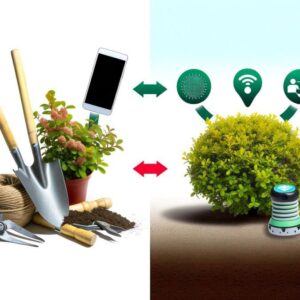
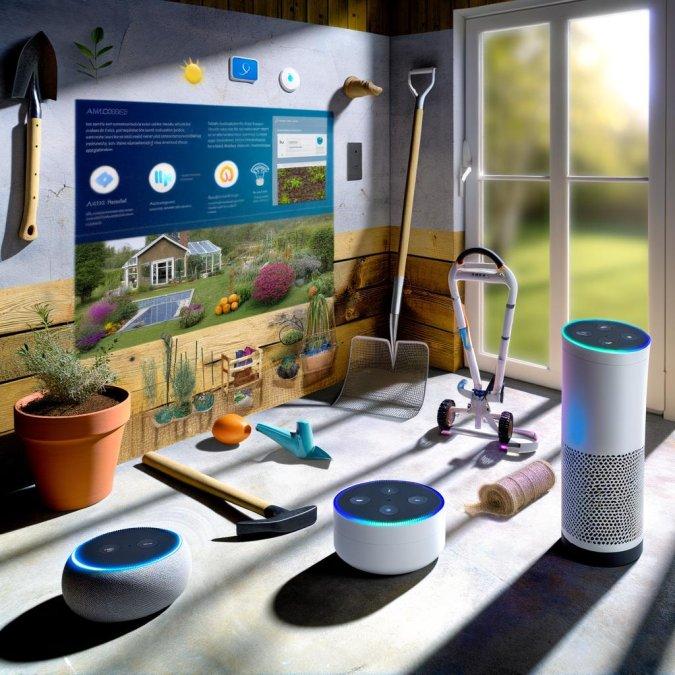
What does “smart garden integration” really cover? In practice, it means outdoor devices are no longer isolated timers or sensors; they become part of the same control layer as lighting, security, and routines inside the house, usually through Amazon Alexa, Google Home, or an automation hub. The device mix typically includes irrigation controllers, hose timers, soil-moisture probes, weather-linked watering systems, outdoor smart plugs for pumps or grow lights, pond monitors, and gate or shed sensors.
- Devices: irrigation zones, smart valves, leak sensors, water-flow meters, outdoor plugs, landscape lighting, and environmental sensors for temperature, moisture, and sunlight.
- Voice platforms: Alexa and Google ecosystems let you trigger scenes by command, though account linking and sign-in prompts can matter during setup, especially with Google Account sign-in prompts on Android.
- Core benefit: centralized control with conditional logic, not just remote on/off. That distinction matters.
A common real-world setup: a homeowner uses Google Home to check whether the backyard irrigation ran, while a smart controller skips watering after rainfall and an outdoor plug powers seedling lights at dawn. That saves more frustration than water alone, because the biggest failure point in most gardens is inconsistency, not intent.
Quick observation: outdoor tech fails for boring reasons-weak Wi-Fi at the fence line, bad weather sealing, or voice commands that are too vague. I’ve seen beautifully planned systems become annoying because “turn on the garden” controlled lights, a fountain, and irrigation at once.
So the real value is operational clarity: fewer manual checks, tighter watering discipline, and garden tasks that fit into household routines instead of competing with them. If device naming and account permissions are sloppy, the smart part wears off fast.
How to Connect Irrigation, Sensors, and Outdoor Lighting to Alexa and Google Home
Start with the control path, not the devices. If your irrigation controller, outdoor plug, or environmental sensor supports Alexa or Google Home directly, link it in the brand app first, then expose only the zones and scenes you actually plan to use; dumping every valve and probe into voice control creates messy automations fast.
- Connect irrigation through the manufacturer app, name zones by function rather than location: “Drip Vegetables” works better than “Back Left.”
- Add moisture, rain, or temperature sensors next, then use Google Home or the Alexa app for routines that pause watering when conditions shift.
- For outdoor lighting, pair low-voltage transformers or smart plugs separately from irrigation so a lighting fault never blocks a watering schedule.
Short version: build in layers.
In practice, I usually test each category on its own for 48 hours before combining routines. A common setup is this: a smart irrigation controller runs at 5 a.m., a soil sensor reports dry conditions, and pathway lights on a weatherproof smart plug turn on only after sunset; if one piece drops offline, the others still do their job.
One thing people overlook: Wi-Fi in the garden is often the real bottleneck. Honestly, I’ve seen perfect app setups fail because the controller was mounted inside a metal cabinet or the sensor gateway sat behind insulated walls, so a simple outdoor mesh node solved more problems than re-pairing devices ever did.
Use IFTTT only when native routines cannot bridge the brands cleanly, and keep voice commands simple: “water patio pots” or “turn on fence lights.” If you let Alexa Built-in handle too many similarly named devices, the system will guess-and sometimes guess wrong.
Common Smart Garden Automation Mistakes and How to Optimize for Reliability, Water Savings, and Seasonal Changes
The most common failure is not bad hardware; it is stacking too many dependencies into one watering event. If a valve depends on Wi-Fi, a cloud rule, a voice platform, and a weather API, one weak link can skip irrigation on the hottest day of the month. Keep the actual watering schedule local in the controller, then let Alexa, Google Home, or dashboards handle overrides and notifications rather than the core run logic.
Use a simple reliability hierarchy:
- Primary control: local schedule in the irrigation controller.
- Secondary control: soil moisture or rain pause rules.
- Tertiary control: voice assistants and app scenes for temporary changes.
That sounds obvious, but people still do it. I see gardens where one global routine waters herbs, citrus, and raised beds together, then the owner wonders why one area stays soggy while another struggles. In Home Assistant, split automations by microzone and exposure, then cap each zone with a maximum runtime so a failed sensor cannot keep a valve open indefinitely.
A real example: a west-facing container bed may need short morning pulses in July, yet almost nothing after a week of rain in October. Instead of editing routines every season, build a monthly profile with different duration ceilings and use weather data only to skip runs, not to calculate every minute of irrigation. This reduces false decisions when forecasts miss local conditions.
One more thing.
Battery devices and wireless leak sensors often fail quietly, especially after winter storage or heat spikes. Check signal strength and battery level during seasonal resets, inspect emitters for clogging, and test one manual cycle before re-enabling automations. If your setup cannot survive a missed cloud prompt or account verification issue, it is not automated; it is fragile, as seen in user reports on the Gmail Community.
Expert Verdict on Integrating Garden Tech with Smart Home Ecosystems like Alexa and Google
Integrating garden technology with smart home platforms only delivers real value when automation stays reliable, simple, and easy to override. Before choosing devices, confirm compatibility with Google or Alexa, check whether local control is available, and avoid building your setup around features that depend entirely on cloud access. The best investment is a system that saves water, reduces routine maintenance, and adapts to seasonal needs without creating extra complexity. In practice, start small, prioritize interoperable products, and expand only after the first automations prove dependable in everyday garden conditions.

Dr. Silas Sterling is a researcher and designer dedicated to the concept of Biophilic Design. Holding a doctorate in Architectural Technology, he explores how smart gardens improve mental well-being. Through Ekolye, Dr. Sterling curates innovative solutions that bring the harmony of nature into the modern digital home.