What if the fastest way to save a struggling plant is already in your pocket? Today’s mobile apps can identify species, flag symptoms, and help gardeners respond to pests before minor damage turns into a full outbreak.
By combining image recognition, care databases, and real-time diagnostics, plant identification apps are changing how people monitor plant health. Some advanced visualization ecosystems, including tools connected through NVIDIA Omniverse, reflect a broader shift toward smarter, more responsive plant-related digital workflows.
For home growers and professionals alike, the real value is speed paired with better decisions. A quick scan can narrow down whether you are looking at nutrient stress, fungal infection, or insect pressure-and point you toward practical next steps.
This article explores how to use mobile apps effectively for instant plant identification and pest control, where their recommendations are most reliable, and when expert judgment still matters. The goal is not just to name a plant or pest, but to protect it with confidence.
How Mobile Plant Identification Apps Work and Why They Matter for Faster Pest Diagnosis
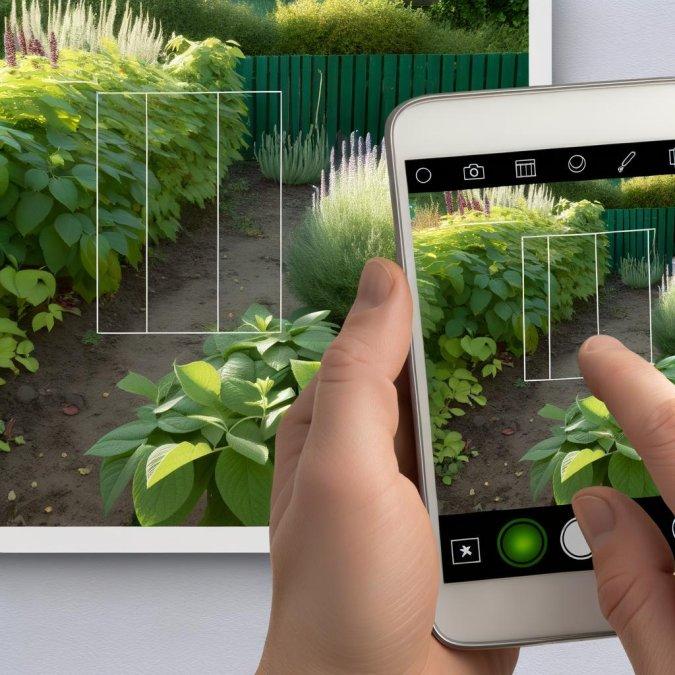
What actually happens when you point a phone at a damaged leaf? The app compares visual features-leaf shape, vein pattern, edge damage, spotting, discoloration, even insect body shape-against a trained image library, then ranks likely matches. Tools like PlantNet and PictureThis do this fast, but the useful part is the workflow: first identify the plant correctly, then use a second image focused tightly on the symptom, not the whole pot or bed.
That sequence matters because pest diagnosis is often wrong at step one. I’ve seen growers treat spider mites on peppers as a nutrient issue simply because the app was fed a distant photo with harsh noon glare; once retaken in shaded light with the underside of the leaf visible, the diagnosis shifted immediately. Small detail, big difference.
- Capture one full-plant image to confirm host species.
- Take a close symptom shot showing lesion edges, frass, webbing, holes, or stippling.
- Add context manually: recent weather, irrigation changes, and whether damage is spreading upward or staying localized.
And honestly, this is where mobile apps earn their place in the field. Faster identification narrows the list of likely pests before damage escalates, which is critical when chewing insects can move through seedlings in a day or fungal-like symptoms start after overwatering. A landscaper spotting lace bug damage on azalea, for example, can confirm the host and symptom pattern on-site instead of waiting for a nursery callback and losing another week.
One quick observation: dirty camera lenses cause more misreads than most people expect. If the app returns three very different answers, stop and reshoot rather than forcing a treatment choice, because speed only helps when the image quality supports the diagnosis.
How to Use Plant ID and Pest Control Apps Step by Step for Accurate, Real-Time Garden Decisions
Start with the plant, not the app. Before opening PictureThis or PlantNet, isolate one affected leaf, one healthy leaf, and the stem junction, then photograph all three in natural light; this gives the app enough context to separate nutrient stress from insect feeding and reduces the usual false match problem with dusty, curled, or chewed foliage.
- Run plant identification first, then pest diagnosis second. If the species is wrong, treatment advice usually drifts off target.
- Compare the app’s top suggestion against growth habit, leaf arrangement, and your USDA zone or local climate before accepting it.
- Log the result with date, weather, and irrigation note inside the app or your phone notes; pattern tracking beats one-off guesses.
Now the real decision point: confirm whether you are looking at damage, active pests, or disease residue. In practice, I tell gardeners to zoom in for frass, webbing, egg clusters, or stippling because a clean hole in a leaf often means yesterday’s problem, while live mites or fresh honeydew mean you need action today.
Quick observation. Apps are excellent at recognition, but weak at urgency.
If your tomato app result suggests early blight but last night’s overhead watering left circular splash marks, pause and recheck after 24 hours. I’ve seen gardeners spray unnecessarily when the better move was pruning lower leaves, improving airflow, and using the app again after the canopy dried; honestly, that second scan is often the one that matters.
Use the app’s treatment suggestions as a shortlist, not an automatic instruction. Choose the least disruptive control first-hand removal, pruning, insecticidal soap, then targeted products only if the follow-up scan and visual check still show spread, because misapplied pest treatments can do more damage than the original issue.
Common Plant Identification App Mistakes and Smart Strategies to Improve Pest Treatment Results
Wrong ID, wrong treatment. The most expensive mistake is trusting a single app result as if it were a diagnosis, then spraying for “pests” when the plant is actually showing nutrient stress, sunscald, or edema. In practice, I get better outcomes when gardeners use PictureThis or Pl@ntNet as a first filter, then verify with symptom timing, leaf undersides, stem damage, and recent weather before choosing any control.
- Photographing the prettiest leaf instead of the damaged zone: identification improves when the app sees both the whole plant and the exact injury pattern, especially margins, new growth, and pest hiding sites.
- Treating the detected insect, not the infestation stage: a few adult fungus gnats need moisture correction more than insecticide, while scale often requires repeat follow-up because the crawler stage is the real treatment window.
- Ignoring host mismatch: if the app says “aphids” on a plant that rarely hosts them indoors, pause and inspect for residue, webbing, or distorted growth before buying anything.
I’ve seen this a lot: someone scans a yellowing cucumber leaf, gets “spider mites,” and applies neem twice in summer heat. A quick hand-lens check would have shown no mites at all-just magnesium deficiency plus heat stress, made worse by oil spray. That’s the part people skip.
A smarter workflow is simple: app result, visual confirmation, threshold decision, then treatment. If fewer than 10 to 15 percent of leaves are affected, mechanical removal, pruning, isolation, or a rinse-down often beats a broad spray program; once you misread the problem, every next step gets more expensive.
Summary of Recommendations
Mobile apps are most valuable when used as a decision-support tool, not a substitute for direct observation. A fast identification can save time, but the best results come from confirming symptoms, checking plant conditions, and applying pest treatments only when the diagnosis is clear. For gardeners and growers, the practical choice is to use apps that combine accurate image recognition with care guidance, treatment recommendations, and updateable pest data. In the long run, the smartest approach is balanced: rely on technology for speed, but base final action on plant health patterns, severity of damage, and whether intervention is truly necessary.

Dr. Silas Sterling is a researcher and designer dedicated to the concept of Biophilic Design. Holding a doctorate in Architectural Technology, he explores how smart gardens improve mental well-being. Through Ekolye, Dr. Sterling curates innovative solutions that bring the harmony of nature into the modern digital home.